Introduction
Data is the backbone of good decisions - whether you're building a product, running a marketing campaign, or conducting research. But collecting that data has always been the bottleneck.
Developers spend hours writing scrapers. Marketers rely on expensive tools. Researchers manually copy-paste from browser tabs. None of these approaches scale.
WebScrapeKit was built to eliminate this bottleneck. In this post, we'll show you exactly how both developers and marketers use WebScrapeKit to streamline their data research workflows.
For Developers: Rapid Prototyping Without a Full Scraper
Every developer knows the pain of needing a quick dataset to test a new feature or model - but having to write and debug a full scraper just to get started.
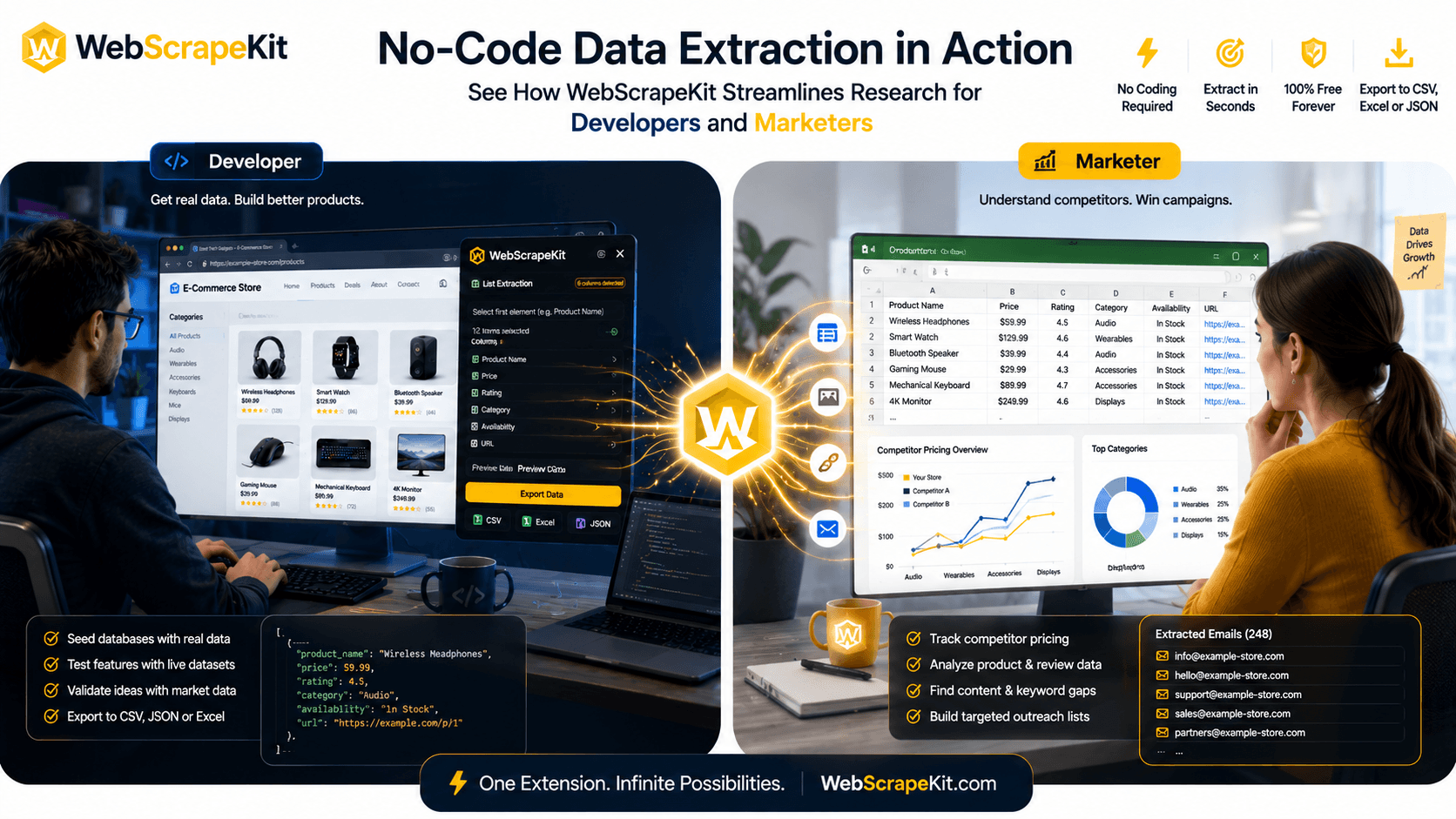
Scenario: A developer is building a price comparison engine. They need product names and prices from three e-commerce websites to seed their database.
Without WebScrapeKit: Write Python scripts for each site, handle pagination, bypass anti-scraping measures, parse the HTML, clean the data, export to CSV. Time: 4 to 6 hours.
With WebScrapeKit: Open each site, activate the extension, click on the list data, export to CSV. Time: 10 minutes.
WebScrapeKit gives developers a fast path to real data so they can focus on building, not scraping infrastructure.
For Marketers: Competitor Intelligence Without the Tech Overhead
Marketers need data constantly - competitor pricing, ad copy, product listings, reviews, social proof. But most marketers don't have the technical skills to scrape this data themselves.
Scenario: A digital marketer wants to analyze competitor product listings on an e-commerce platform to inform their own product descriptions and pricing strategy.
Without WebScrapeKit: Ask a developer (wait days), use an expensive scraping API, or manually copy-paste hundreds of rows.
With WebScrapeKit: Navigate to the competitor's product page, open WebScrapeKit, select List Extraction, and export to Excel in seconds.
The marketer gets exactly the data they need, in the format they prefer, without waiting for technical help.
Shared Benefits: Why Both Teams Love WebScrapeKit
Speed - Both developers and marketers get to data faster than any alternative approach.
Cost - WebScrapeKit's core features are completely free, compared to scraping APIs that charge per request.
Flexibility - Extract lists, images, emails, or full page details. Export to CSV, JSON, or Excel.
No infrastructure - No servers, no proxies, no API keys. Everything runs in the browser.
Cross-website compatibility - Works on virtually any public website.
Conclusion
WebScrapeKit bridges the gap between technical and non-technical users when it comes to web data extraction. Developers get a faster path to prototyping data. Marketers get self-service access to competitive intelligence.
Whether you're shipping code or crafting campaigns, WebScrapeKit streamlines your research workflow from hours to minutes.
Try WebScrapeKit free at WebScrapeKit.com