Introduction
SEO audits are notoriously time-consuming. Checking title tags, meta descriptions, heading structures, canonical tags, and internal links across dozens or hundreds of pages can take days using traditional methods.
But WebScrapeKit's Page Details feature isn't just useful for data collection - it's a powerful, fast SEO audit tool that extracts all the on-page elements you need in a single click.
Let's explore what it does and how SEO professionals are using it to cut audit time dramatically.
What 'Page Details' Extracts
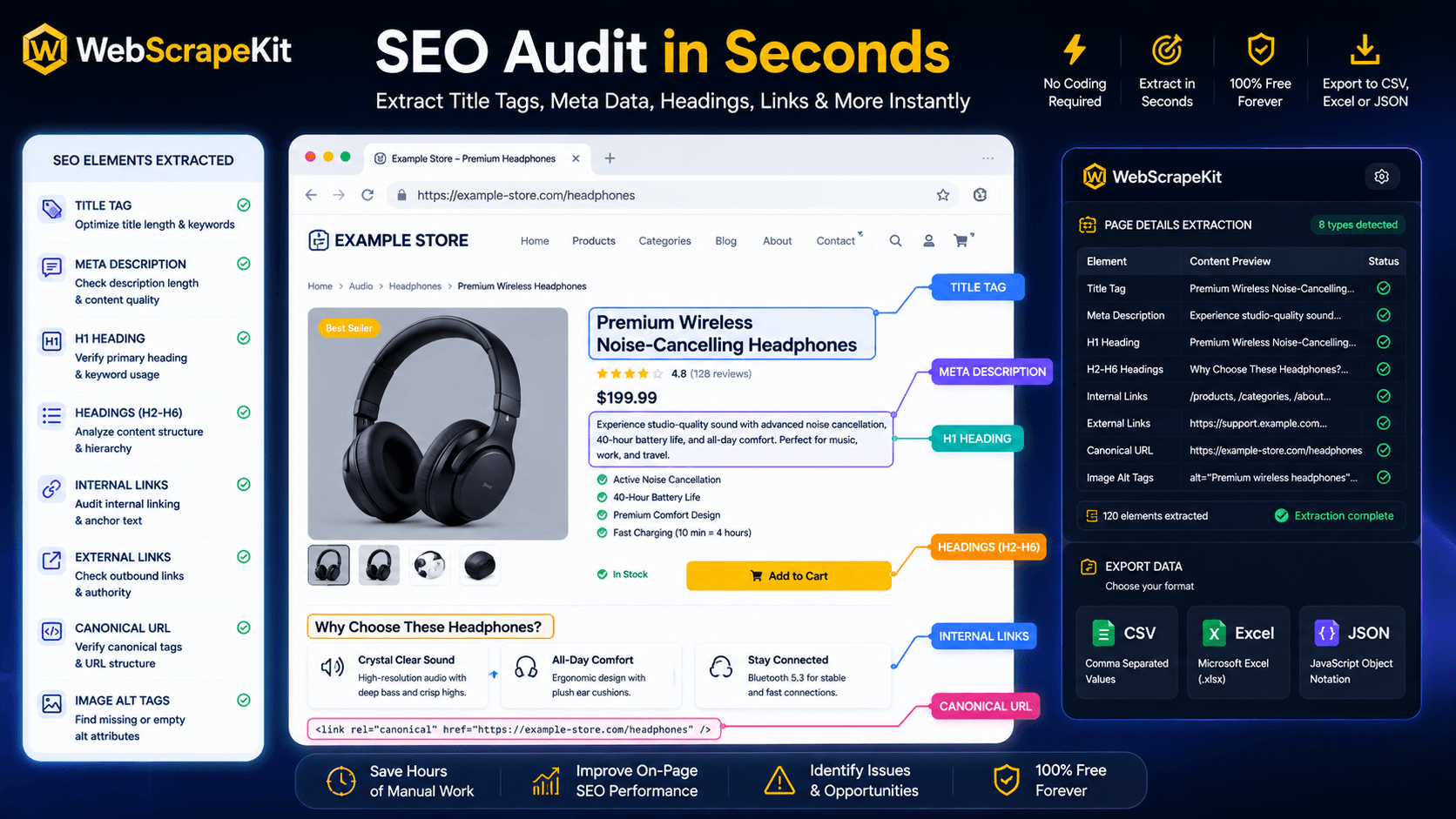
When you activate WebScrapeKit's Page Details mode on any webpage, it automatically extracts:
Page Title - The HTML title tag, crucial for search ranking and click-through rates.
Meta Description - The meta description tag, important for SERP snippets.
Heading Structure (H1 to H6) - All heading tags on the page for content hierarchy analysis.
All Internal Links - Every internal hyperlink on the page, useful for internal linking audits.
All External Links - External links for backlink analysis and toxic link identification.
Image Alt Tags - Alt attributes for all images, essential for image SEO.
Canonical Tag - The canonical URL if present, for duplicate content analysis.
Practical SEO Audit Workflows with WebScrapeKit
Competitor analysis: Extract page details from top-ranking competitor pages to understand their title tag patterns, heading structures, and internal linking strategy.
Client website audits: Quickly check any client page for missing meta descriptions, duplicate title tags, or broken heading hierarchies.
Content optimization: Extract heading structures from your own pages to identify thin content or keyword gaps.
Link audits: Pull all internal and external links from key pages to identify orphaned pages or excessive outbound links.
Conclusion
WebScrapeKit's Page Details feature is an underutilized SEO powerhouse. In a single click, it gives you everything a traditional SEO audit tool provides - title tags, meta descriptions, headings, links, canonical tags - without the cost or complexity.
Try it free at WebScrapeKit.com