Introduction
A tool is only as good as its usability. WebScrapeKit's interface is deliberately simple. Every element has a clear purpose, and the path from opening the extension to exported data is never more than a few clicks.
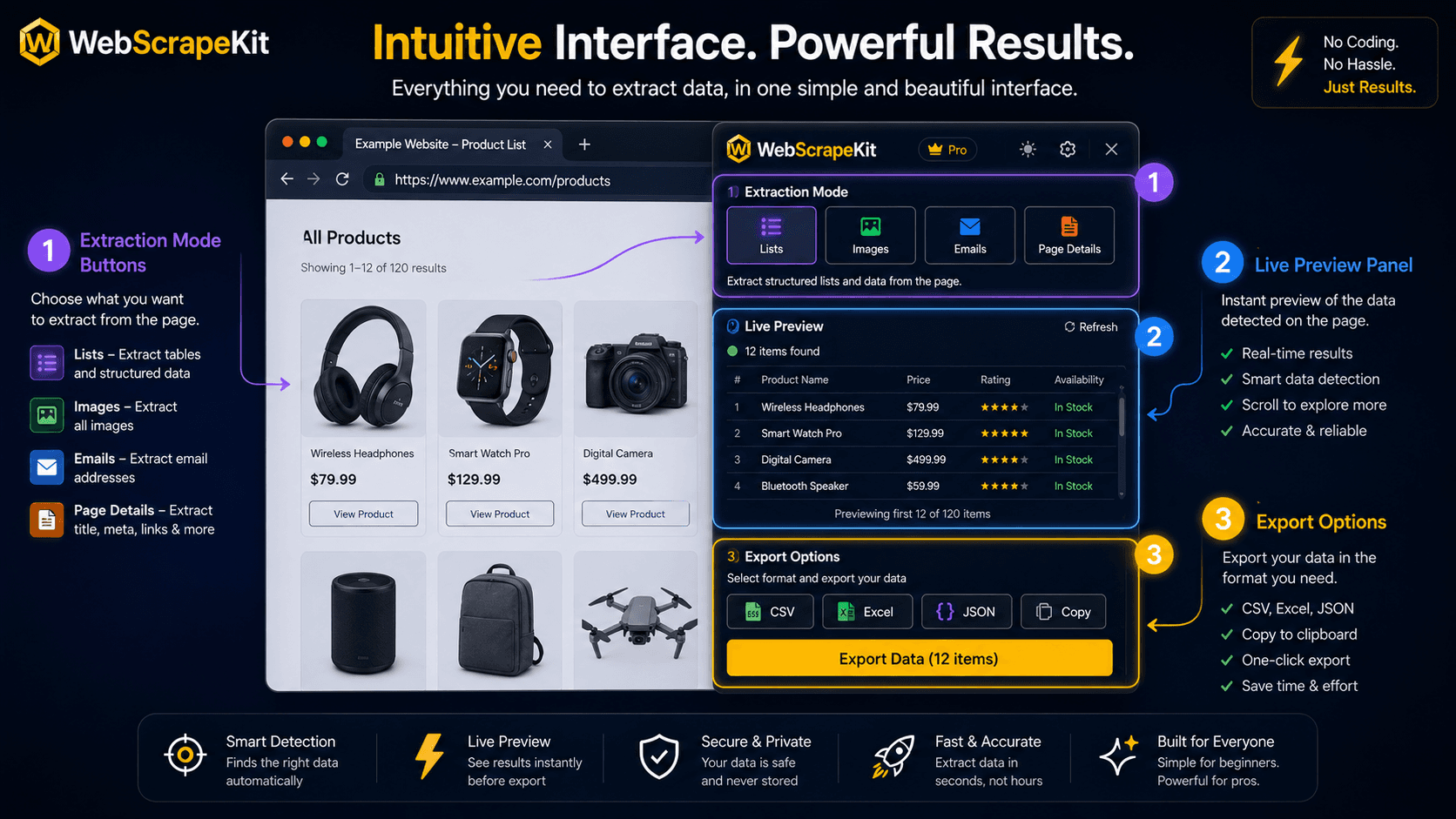
The Extension Panel: What You See
Extraction Mode Buttons (Top): Four clearly labeled buttons - List, Images, Emails, Page Details. This is the first decision you make, and it's a simple one based on what data you want.
Active Page Indicator: A small indicator showing which page the extension is currently working on.
Preview Panel (Center): Once you start an extraction, this area fills with a live preview of your data - rows and columns appearing as WebScrapeKit detects them.
Export Options (Bottom): Three buttons for CSV, JSON, and Excel export. Appear once data has been extracted and previewed.
The Selection Experience
When you click 'List Extraction', the browser tab switches to selection mode.
Hover state: As you move your cursor over page elements, a subtle blue highlight shows you what WebScrapeKit would select if you clicked.
Click to select: Clicking an element locks in the selection and WebScrapeKit immediately highlights all similar elements across the page.
Visual feedback: The number of matched elements appears in the panel, giving you immediate confirmation that the pattern detection worked correctly.
The Export Experience
Click CSV, JSON, or Excel button. Your browser's download manager picks up the file. The file appears in your Downloads folder immediately. Open it and your data is there, clean and structured.
No loading screens. No 'your export is processing' messages. Instant.
Conclusion
WebScrapeKit's interface is designed for first-time users and power users alike. The learning curve is measured in minutes, not hours.
See for yourself at WebScrapeKit.com