Introduction
For developers, JSON isn't just a format - it's the language of data exchange. When you extract web data, having it automatically structured as clean JSON means you can immediately feed it into your applications, APIs, or databases without any transformation work.
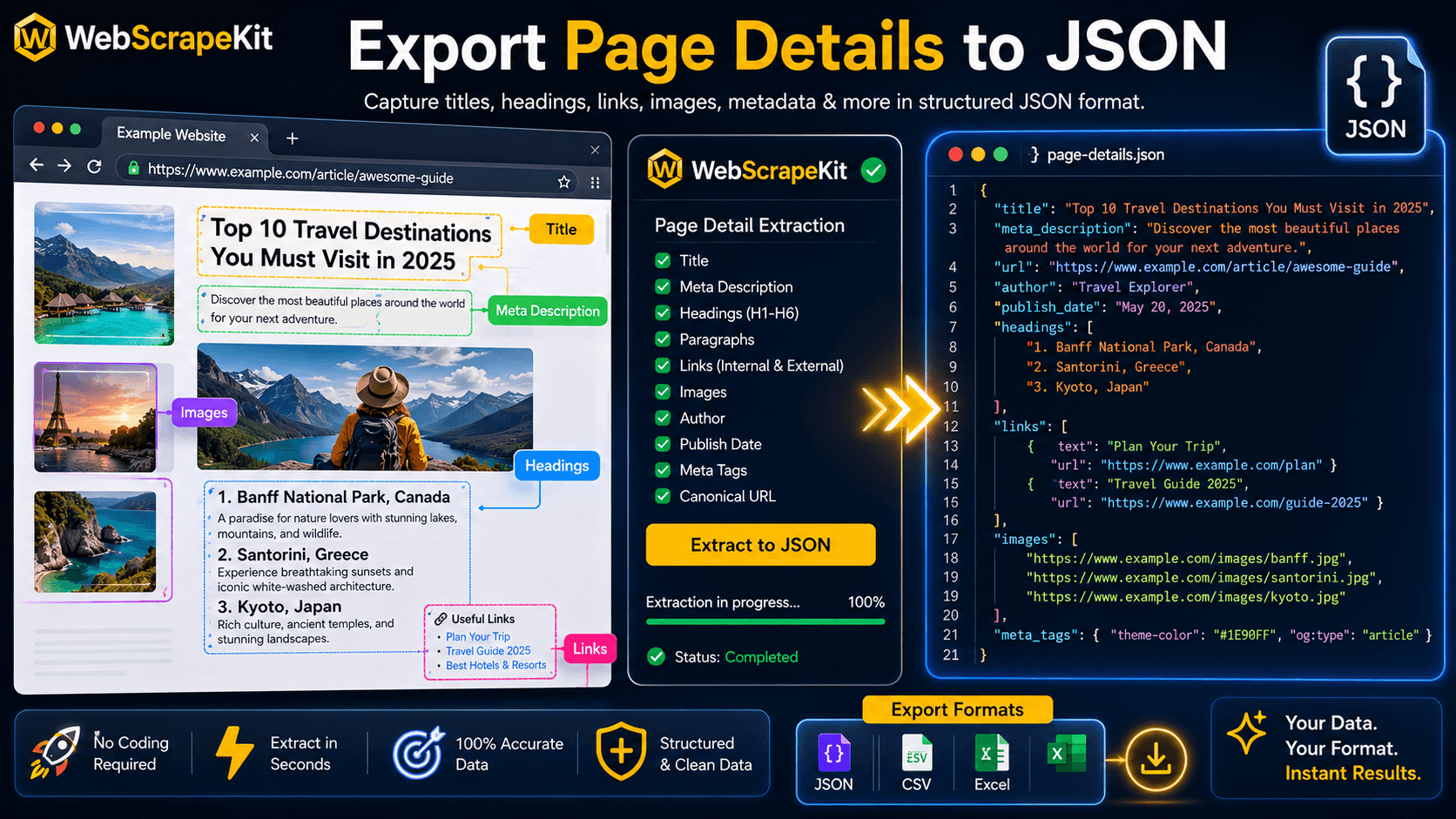
WebScrapeKit's Page Details feature extracts comprehensive on-page information and exports it directly to JSON with one click.
What 'Page Details' Extracts to JSON
When you run Page Details extraction on any webpage, WebScrapeKit produces a structured JSON object containing:
How to Export Page Details to JSON
Step 1
Navigate to the webpage you want to extract details from in Chrome.
Step 2
Open WebScrapeKit from your Chrome toolbar.
Step 3
Select 'Page Details' from the extraction mode options.
Step 4
WebScrapeKit automatically analyzes the page and shows a preview of all extracted elements.
Step 5
Click 'Export as JSON'. The file downloads instantly.
Step 6
Open the JSON file in your preferred editor or import it directly into your application.
Developer Use Cases for JSON Page Details
SEO tool development: Feed WebScrapeKit's JSON output into a custom analysis pipeline.
Content analysis: Programmatically analyze heading structures and internal link patterns across multiple pages.
Database seeding: Populate a content database with structured page data from public sources.
API testing: Use real page data as test payloads for APIs that process web content.
Conclusion
WebScrapeKit's Page Details to JSON feature is a developer superpower hidden inside a no-code tool. Clean, structured, immediately usable JSON from any webpage in 15 seconds - no parsing, no scraping infrastructure, no cost.
Try it at WebScrapeKit.com