Introduction: The SEO Audit Challenge
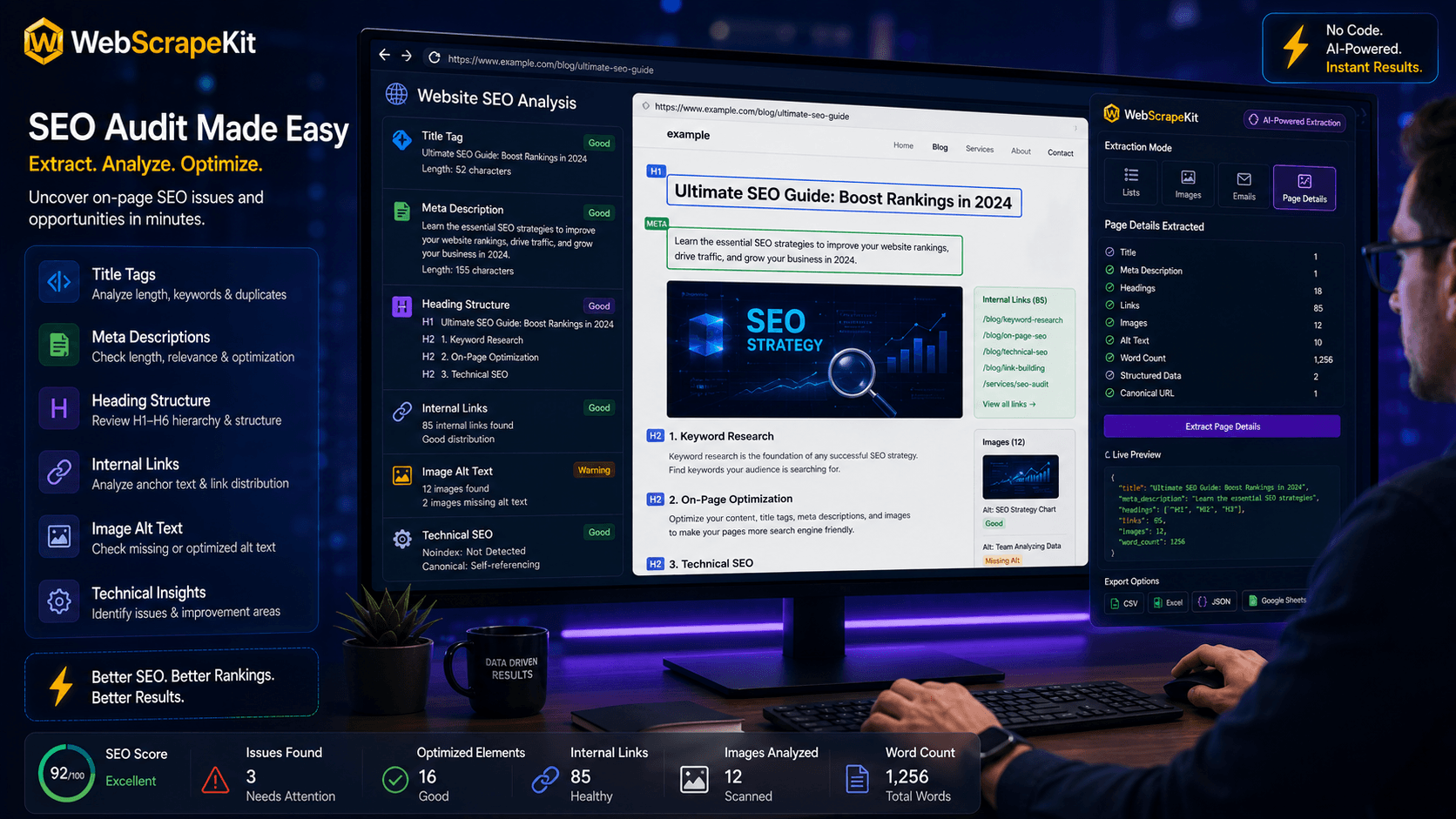
SEO audits are an essential but time-intensive discipline. Whether you're auditing your own website, a client's, or a competitor's, the process of systematically checking title tags, meta descriptions, heading structures, internal link patterns, and image optimization is repetitive and detailed work.
WebScrapeKit offers a lightweight, free alternative for page-level SEO auditing. For on-page analysis of individual pages or small sets of pages, it's faster and simpler than any alternative.
What WebScrapeKit Extracts for SEO Analysis
Title Tag: The full HTML title element - check for optimal length (50 to 60 characters), keyword placement, and uniqueness.
Meta Description: The meta description content - check for compelling copy, optimal length (150 to 160 characters), and CTA inclusion.
H1 Tag: The primary heading - verify it's present, unique, and contains the target keyword.
H2 to H6 Tags: Supporting headings - analyze content hierarchy and keyword distribution.
Internal Links: All internal hyperlinks - audit anchor text diversity and internal linking equity.
External Links: All outbound links - check for broken external links.
Image Alt Tags: Alt text for all images - identify missing or keyword-stuffed alt attributes.
WebScrapeKit SEO Audit Workflow
Single Page Audit: Navigate to the target page, open WebScrapeKit, select 'Page Details', review extracted elements in the preview panel, export to CSV for documentation.
Multi-Page Audit: Create a list of target URLs, open each in a separate Chrome tab, run Page Details extraction on each tab, export each page's data to CSV, combine CSVs in Excel for cross-page comparison.
Competitor Audit: Run Page Details extraction on top-ranking competitor pages, compare title tag structures, heading keyword density, and internal linking patterns.
Common SEO Issues WebScrapeKit Helps You Find
Missing meta descriptions: Pages where no meta description tag is present.
Duplicate title tags: When multiple pages share the same title tag, search engines struggle to differentiate them.
Missing or multiple H1 tags: Pages with no H1 or with multiple H1 tags have unclear content hierarchy.
Thin internal linking: Pages with very few internal links receive less link equity from the rest of the site.
Missing image alt text: Images without alt tags are inaccessible to screen readers and invisible to search engine image indexing.
Conclusion
WebScrapeKit brings fast, free, and accessible SEO page analysis to anyone who needs it - from independent consultants to in-house SEO teams working on focused optimization tasks.
For page-level SEO audits, meta information extraction, and competitive page analysis, it's one of the most efficient tools available at any price point.
Start your next SEO audit at WebScrapeKit.com